Ask Muse what it can do for you
Add musedirectory.ai to Muse once. After that, ask Muse what it can help with, and it looks up the right apps, whether they are working right now, and the exact steps, straight from this site. No browsing needed.
Add it in 3 steps
- 1
Copy this request
- 2
Paste it into a Muse conversation
Muse reads our instructions, saves them as a skill, and looks things up here from then on. Nothing gets installed in Settings, there is no key, and there is nothing to sign in to.
Tested in the Muse app on September 24, 2026: Muse saved it and answered from the live directory.Not working?
If Muse asks for more detail, tell it the same lookups are also available as an MCP server at https://musedirectory.ai/mcp. You can check whether we are up on our own listing, which is checked every 15 minutes like every other app.
- 3
Ask what you want done
The first time Muse uses the directory for a new question, it asks whether to allow it once or always. That is Muse's normal safety check for connectors. Always is reasonable here: the directory only looks up public listings and cannot send, buy or change anything. You can review it later in Muse's Settings, under Permissions.
Try one of these:
- "What can you do to help me lower my bills?"
- "Which app should I connect to plan a trip?"
- "Is Instacart working in Muse yet?"
- "What is new in Muse this week?"
- "I need a lawyer near me. What should I connect?"
What it looks like
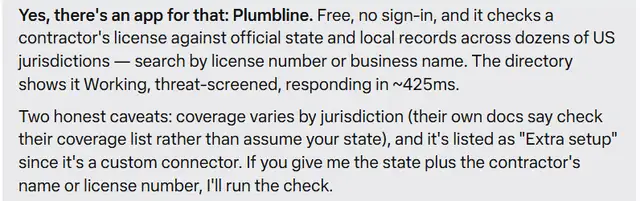
Before I hire a contractor, can you check if they're licensed? Is there an app you can connect for that?
What can you do to help me save money?
According to musedirectory.ai, the quickest start is finding every subscription in your email. That only needs Gmail, which you already have connected. After that, SubKiller can give you cancel steps and CutMyBill can tell you which bills are worth a call. Want me to start with your subscriptions?
Made-up example. Muse's real answer uses your own information and will be worded differently.
Is it safe to connect?
Meta does not review sites Muse uses this way, this one included, so here is exactly what it does.
What it can see: nothing about you. It only gets the question Muse sends it, like "lower my bills". It never sees your email or any of your accounts.
What it can do: look things up in this directory. It cannot send, buy, change or delete anything.
Muse asks you first: before Muse shares anything with an app's website, it shows you the exact site and why, and you choose Allow once, Always allow this site, or Deny. That goes for this directory and for every app it finds for you.
Who runs it: the team behind this site. It is independent and not part of Meta. Some apps it suggests, like SubKiller and CutMyBill, are also made by us, and every page here says so.
For developers
Muse's instructions are at /muse.md. It is a plain API described at https://musedirectory.ai/openapi.json and a remote MCP server at https://musedirectory.ai/mcp, both with no authentication, so it also works in other assistants. Details are on For app makers.